How to use AI with Sevalla MCP to run infrastructure tasks
The Model Context Protocol (MCP) is quickly becoming the standard way for AI coding agents to interact with developer tools and infrastructure. They write code, refactor codebases, generate tests, and help developers understand unfamiliar systems.
But the moment you need to deploy an application or debug production, the workflow breaks. Instead of shipping code, developers suddenly become cloud operators.
That context switch slows everything down.
Today we're fixing that. Infrastructure should be part of the development loop, not a separate workflow.
Sevalla MCP server with API v3 allows coding agents to interact directly with your Sevalla infrastructure. Your agent can deploy services, run pipelines, create preview environments, inspect logs, manage databases, and debug environments without leaving the coding environment.
Introducing Sevalla API v3
Sevalla API v3 exposes the infrastructure actions available in the Sevalla dashboard through a fully programmable API.
Developers can now access Sevalla infrastructure programmatically, enabling automation through scripts, pipelines, developer tooling, and internal platforms.
In practice, almost every action available in the Sevalla dashboard can now be executed programmatically. Teams can integrate Sevalla into automation pipelines, scripts, developer tooling, and internal platforms without relying on manual dashboard operations.
Using MCP to run infrastructure
API v3 makes Sevalla programmable. The Sevalla MCP server makes it accessible to AI coding agents.
Using the Model Context Protocol (MCP), coding agents can interact directly with Sevalla's Kubernetes infrastructure. Developers can ask their agent to deploy applications, inspect logs, diagnose issues, or adjust service configuration.
The agent executes these actions through the Sevalla API, eliminating the need for dashboards or manual context switching. Your coding agent becomes a direct interface to your infrastructure.
Now the flow is: Developer → agent → API → infrastructure
Try it yourself. View the MCP Quickstart on GitHub
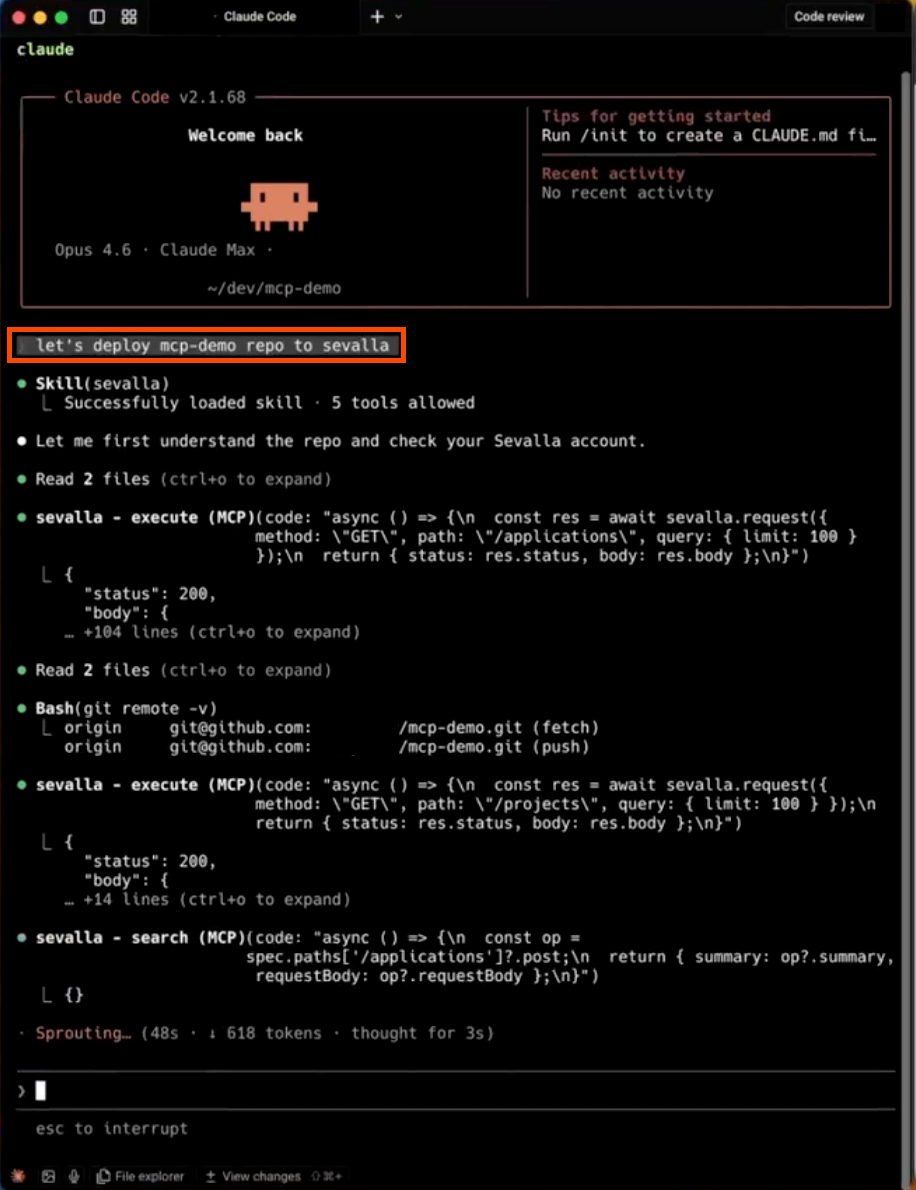
A new developer workflow
With API v3 and MCP, infrastructure becomes part of the AI-assisted development workflow.
A typical loop now looks like this:
- A developer prompts the agent
- The coding agent writes the code
- The developer reviews the change
- The developer deploys the update to Sevalla
- If something breaks, the agent inspects logs and surfaces the issue
- The loop continues
No dashboard switching. No manual infrastructure steps. Just a continuous development loop.
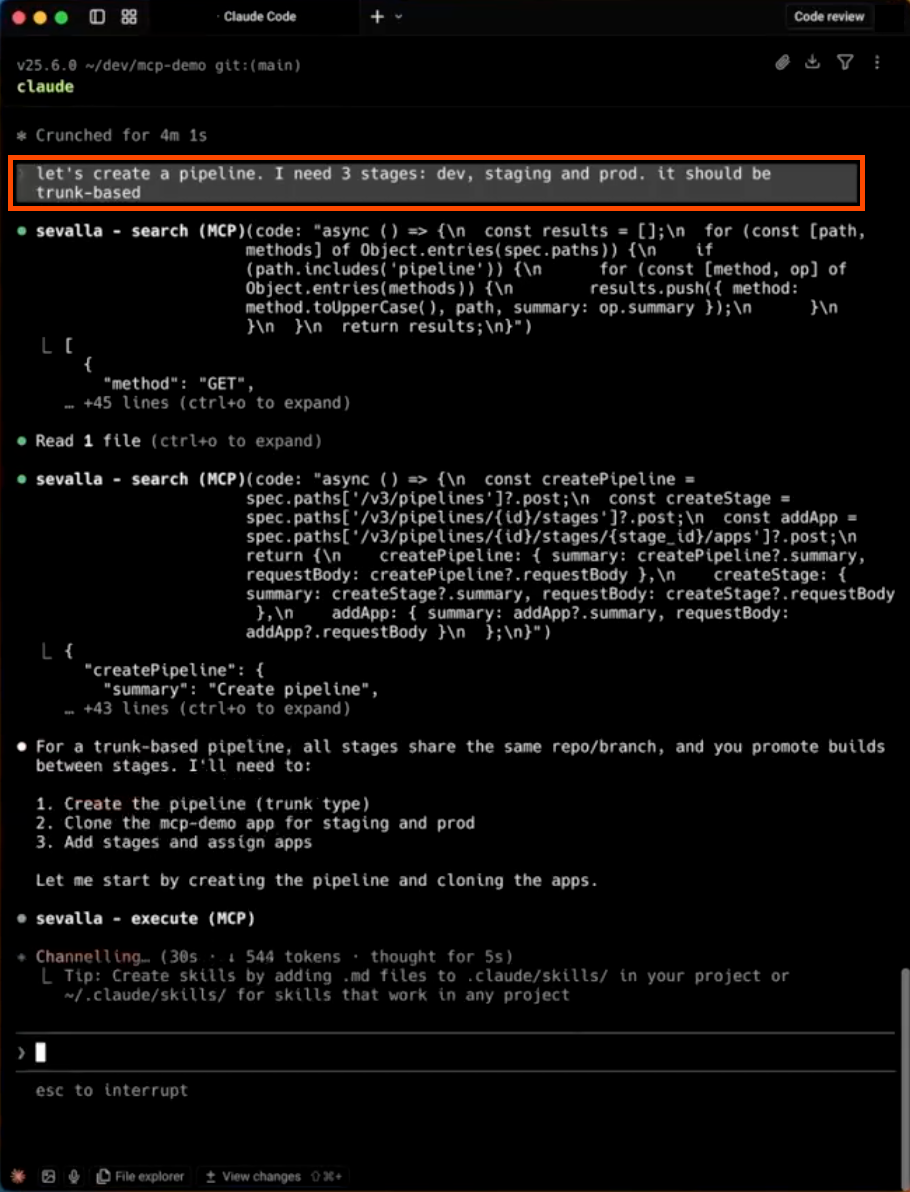
Built for production teams
Sevalla runs on Kubernetes but removes the operational complexity developers usually associate with managing Kubernetes infrastructure.
The platform is designed for teams running real production applications.
These teams want to ship quickly without managing hyperscaler complexity or operating their own Kubernetes infrastructure.
Our customers run business-critical workloads where uptime, performance, and reliability directly impact users and revenue.
API v3 and MCP are the first step toward an agent-first approach to Sevalla infrastructure. Infrastructure becomes easier to automate, easier to access, and easier for agents to operate inside the tools developers already use.
Examples developers are already trying
Developers are already using AI coding agents with Sevalla MCP to run infrastructure tasks like these:
Create a staging environment for my app using pipelineCheck the logs of the payment-service from the last 6 hours and summarize the errors.Create liveness and readiness probe endpoints in the router, and make sure to set up these configs on Sevalla to ensure zero-downtime deploymentsSpin up a background worker in my app as the queue consumer, and add an internal connection between the app and the Redis queue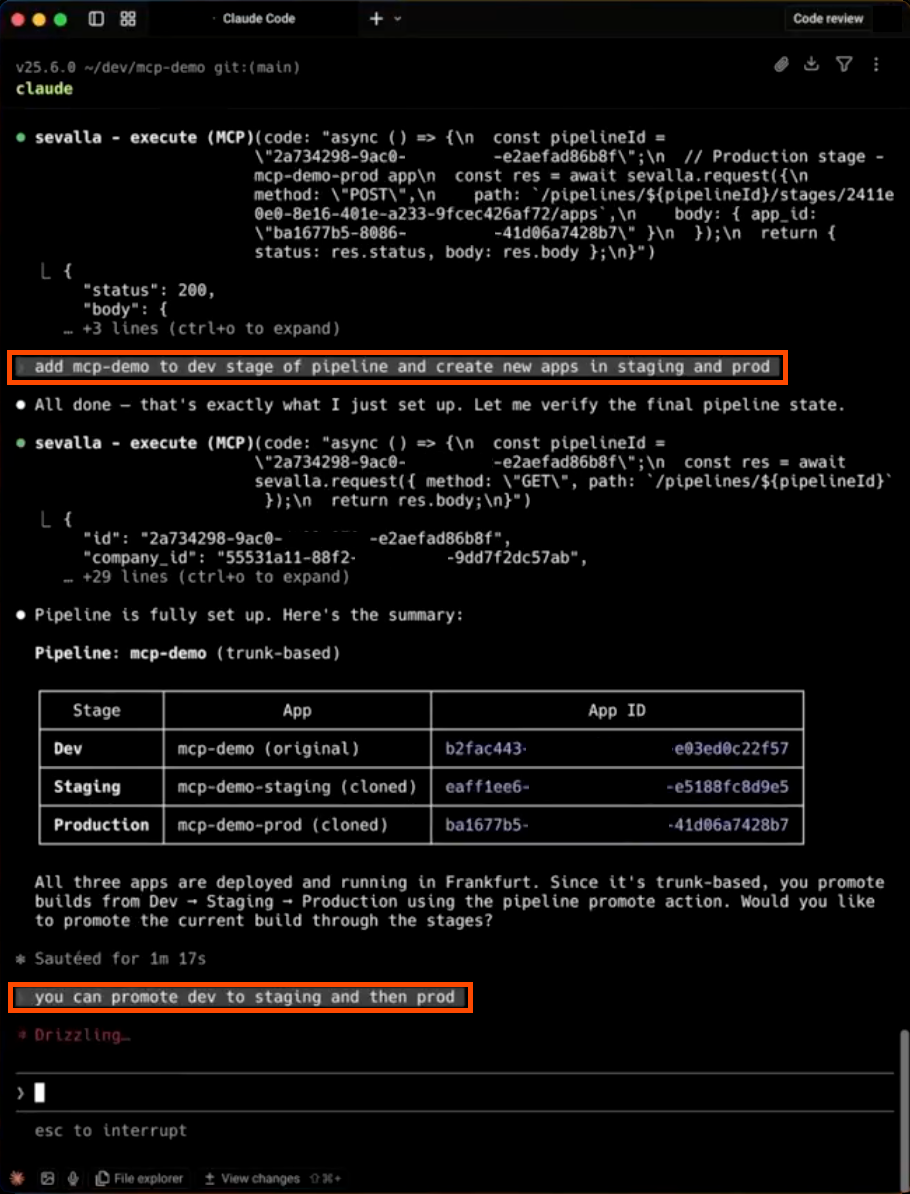
Frequently asked questions
What is MCP?
MCP (Model Context Protocol) is an open protocol that allows AI coding agents to interact with developer tools and infrastructure. It provides a standardized way for agents to execute actions such as deploying services, inspecting logs, and managing environments.
What is the Sevalla MCP server?
The Sevalla MCP server connects AI coding agents to Sevalla infrastructure. It allows agents to deploy applications, run pipelines, inspect logs, and manage services using Sevalla API v3.
Do developers still need to use the dashboard?
No. With MCP and API v3, coding agents can execute infrastructure actions directly through the API. Developers can deploy services, inspect logs, and manage environments without leaving their coding environment.
What can AI coding agents do with Sevalla?
Using MCP and API v3, coding agents can deploy applications, trigger pipelines, create preview environments, inspect logs, manage databases, and diagnose production issues.
Getting started
Deploy, inspect, and manage your infrastructure directly from your development workflow.
Infrastructure should fit the developer workflow
Cloud infrastructure has historically forced developers to adapt to the platform.
Dashboards. Manual operations. Context switching.
Sevalla takes the opposite approach. The platform should adapt to the developer workflow.
With the Sevalla MCP server and the updated API v3, infrastructure becomes programmable, accessible, and integrated directly into AI-assisted development environments.
Your coding agent can now run your infrastructure.