Under the hood of Sevalla's free static site hosting
When the “World Wide Web” was first revealed to the public in 1991, all websites were collections of static HTML documents, each file containing the markup required to render a complete page in a web browser. Almost immediately, the web’s pioneering developers got to work on ways to generate websites dynamically, assembled by code running on web servers and extracting content from database systems.
Although static websites didn’t wholly disappear while CMSs came to dominate, a modern approach to the static-site concept is now popular among those who prize speed and security.
With Sevalla's free Static Site Hosting, you can deploy static websites to a global edge network, with automatic deployments from your Git repository.
Let's take a closer look at static sites, how the hosting platform works behind the scenes, and how you can deploy your own.
Is a static site right for your web project?
A static site serves pre-built HTML, CSS, JavaScript, and media files.
“The advantage of having static content is that it’s fast and efficient,” says Michael Fuller, a JavaScript developer at Kinsta who helped build the original Static Site Hosting platform before it moved to Sevalla. “Rather than a server having to construct the page by talking to the database, it just sends users your pre-made files.”
“Instead of hand-crafting static files entirely, there are a number of static site generators,” he says. “These are kits that help make the creation and update process of a static site easier by turning the files you provide into a working website.”
What kind of projects can be deployed as static sites?
“If you have no pages that require someone to log in, no database or anything else that would require dynamic content, then it’s probably a good candidate to be a static site,” Fuller says. “This can include things such as portfolios, marketing pages, or even a blog if you’re happy writing new posts using a static site generator.”
And when a site doesn't have a server or database to connect to, it offers fewer pathways for security breaches.
“For more advanced cases, you can have a mixed approach,” Fuller says. “You can create a static site that uses a JavaScript framework to talk to a server managed separately. This way, you get the speed benefits in your initial load times, combined with the flexibility of a dynamic site.”
An overview of static site hosting at Sevalla
Originally launched on Kinsta, Static Site Hosting is now part of Sevalla, alongside its application, database, and object storage services.
Here's what you get for free on Sevalla's Static Site Hosting platform:
- 100 static sites per account.
- 1 GB site size limit.
- 600 build minutes per month.
- 100 GB bandwidth per month.
Sevalla also provides free SSL certificates, support for custom domains, and an API for managing your static sites.
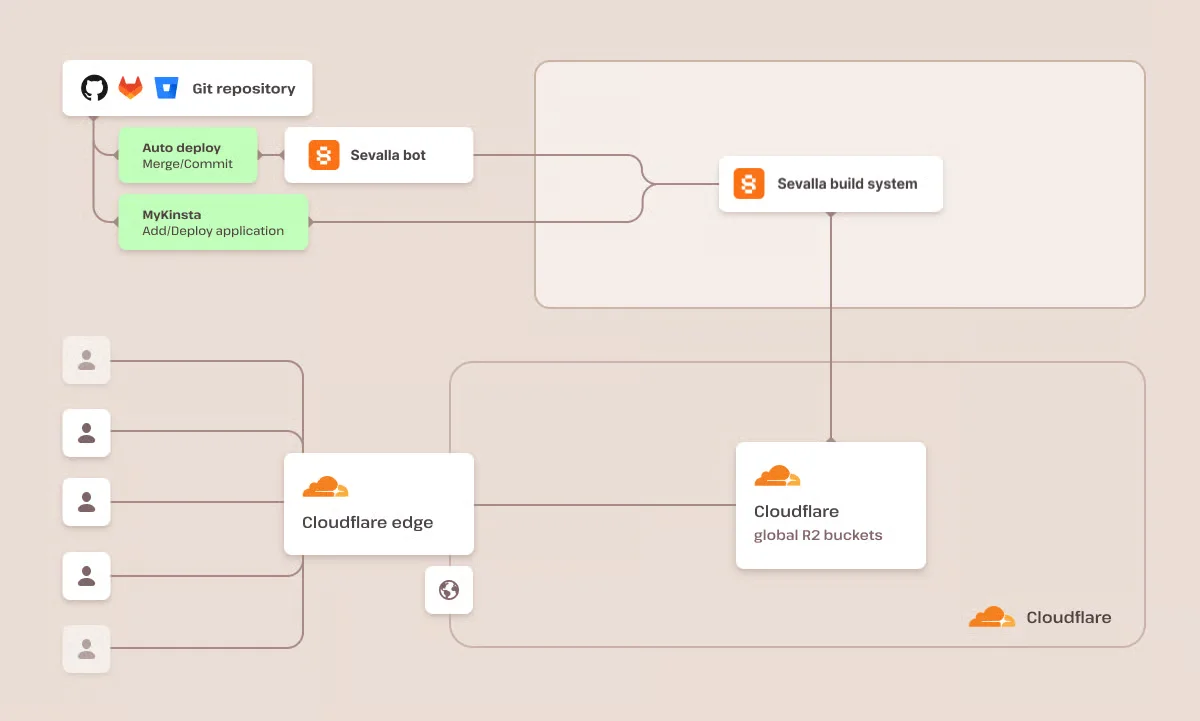
Your static files are delivered through Cloudflare's global edge network, helping visitors access content from locations closer to them.
Since the original launch, Sevalla has added more control over how static sites behave. You can configure redirects using a _redirects file, add custom HTTP headers with _headers, enable pretty URLs, and control which file changes trigger deployments.
These features are particularly useful when your site grows beyond a few HTML pages and you need more control over URLs, caching, or deployment behavior.
Deploying a static site at Sevalla
The first step in deploying a static site at Sevalla is connecting your preferred Git host to your account in the Sevalla dashboard.
“We currently support three of the leading Git providers, BitBucket, GitHub, and GitLab,” Fuller says. “This means that, on top of the benefits of us serving your site, you can use their version tracking and tools.”
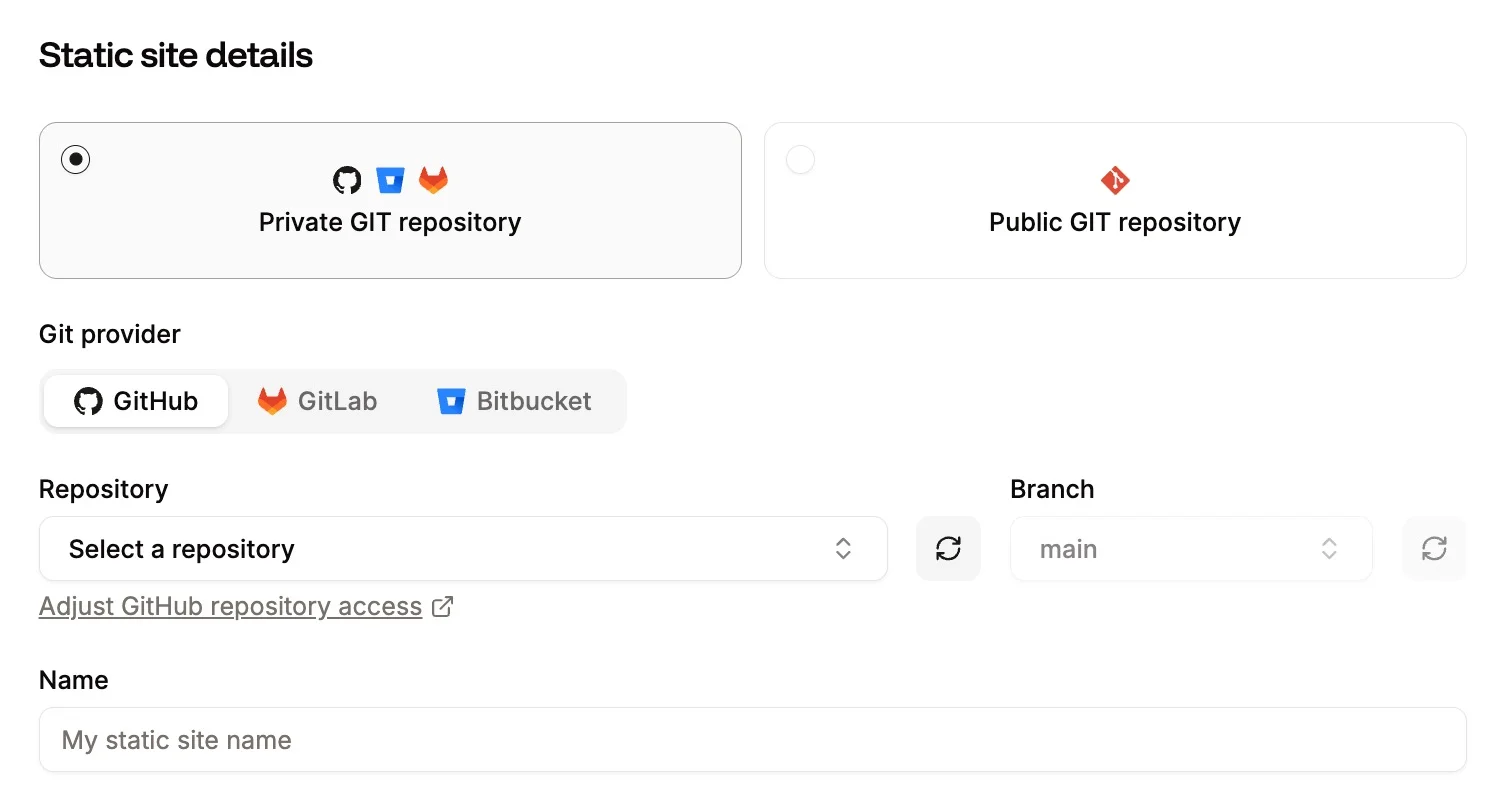
Once you've connected your Git provider, you can create a static site by selecting your repository and the branch you want to deploy.
You can enable automatic deployment so that new commits to the selected branch trigger a deployment.
Next, Sevalla uses your project configuration to determine how the site should be built. You can review the build command, publish directory, and other settings before deploying.
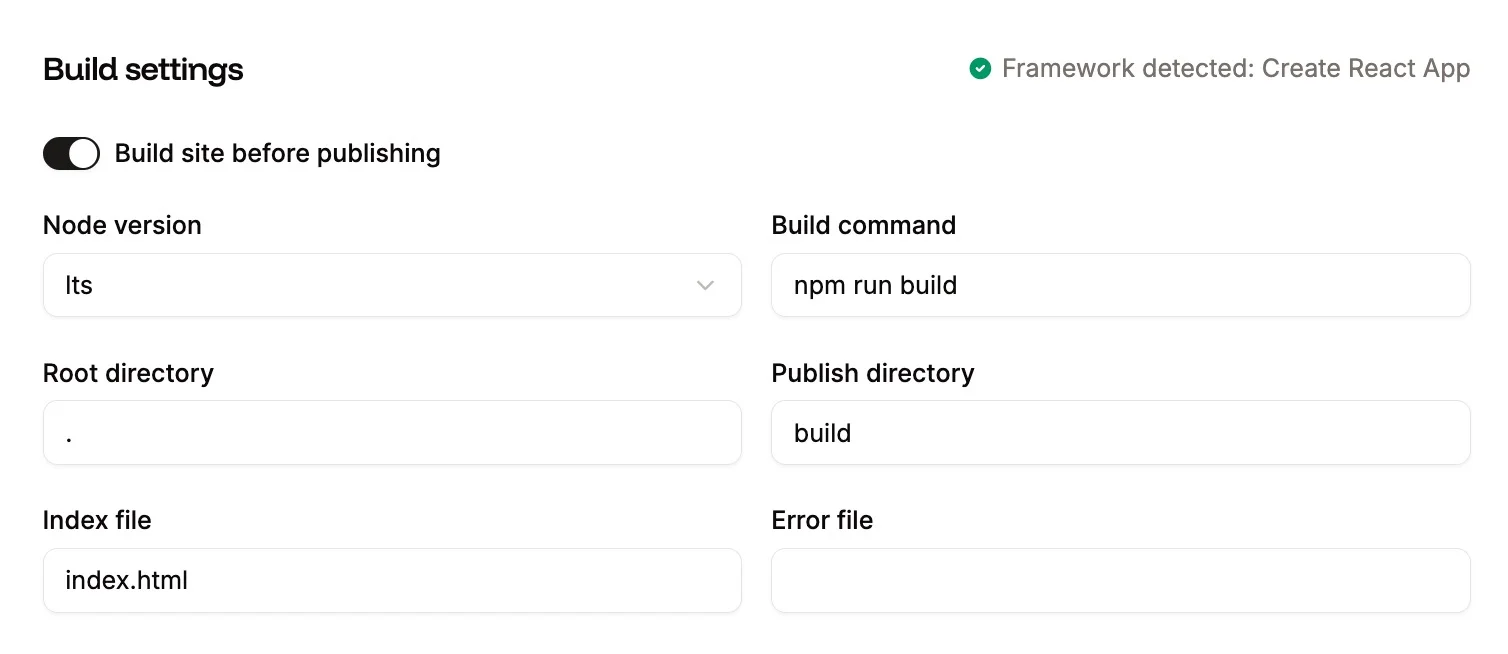
“If we’re able to detect the generator and package manager you’re using, we’ll pre-fill these with the standard conventions used for them,” Fuller says. “For example, the command for Node.js-powered builds is usually yarn build or npm run build, and the publish directory is usually something like build, dist, public or out.”
“You can also specify your own environment variables if your build process makes use of them.”
At launch, the platform supported Node.js-based builds. Developers using generators such as Jekyll or Hugo could also build their sites elsewhere and deploy the generated files from a Git repository.
You can also deploy static assets that have no build step at all, for example, plain HTML sites.
“If you’re not using a generator, no build command needs to be specified and we assume your repository contains pre-made files,” Fuller says.
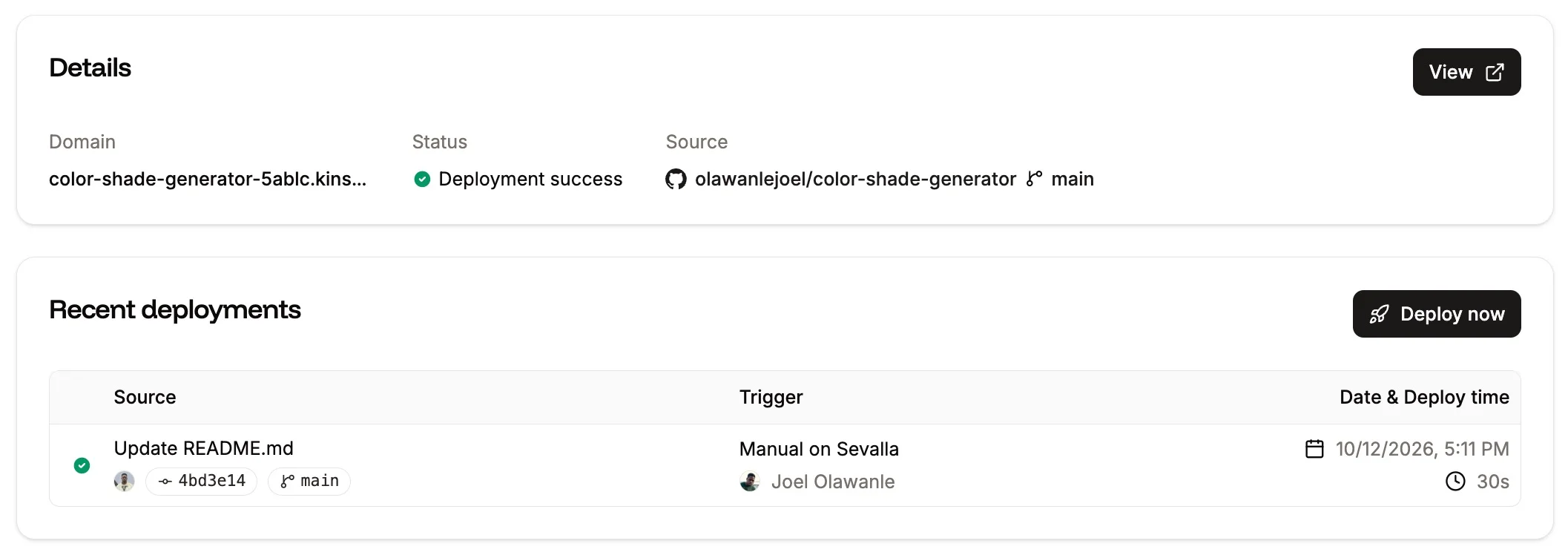
Once a deployment is triggered, Sevalla retrieves the source files, runs the configured build when necessary, and publishes the resulting static assets.
The dashboard provides deployment logs so you can follow the process and investigate build failures.
Sevalla has also improved this process since the original launch. In June 2026, deployment optimizations reduced average deployment time by 32.84% across 264 sites, from 82.51 seconds to 56.6 seconds. Deployment logs now include upload progress, showing the number and size of files being transferred.
Maximizing speed with incremental deployments
One of the interesting parts of the original Static Site Hosting architecture was how it handled repeated deployments without unnecessarily uploading the same content.
“The Static Site Hosting deployment process optimizes build times by uploading to the Cloudflare servers only files that have actually changed.”
Fuller explained how the original system tracked files across deployments:
“We retain previously uploaded files over multiple deployments, so if you choose to redeploy a previous version, the number of files that need to be re-uploaded are few-to-none,” Fuller says. “To do this, we rename the files to the hash value of their contents and keep a record of the original paths. We store these in a map file for that deployment, with the path as the key and the new name as the value.”
“When a request is sent to the site, we use the map of the current deployment to route to the correct version of the file.”
This approach helped avoid repeated uploads of unchanged assets while allowing the platform to serve files associated with a particular deployment.
Sevalla has continued to improve deployments. Pull request previews for different branches can now build in parallel without waiting for production deployments, while production deployments still run sequentially for each site.
You can also purge a static site's CDN cache directly from Settings > Cache if updated assets aren't appearing after a deployment.
Deploy your next static site on Sevalla
Static sites remain a practical option for portfolios, blogs, documentation, and other projects that don't require server-side rendering for every request.
Sevalla makes it possible to deploy these projects directly from a Git repository, with automatic deployments, custom domains, SSL certificates, and a global CDN.
If you're ready to try it, explore Sevalla's free Static Site Hosting and its documentation to get started.